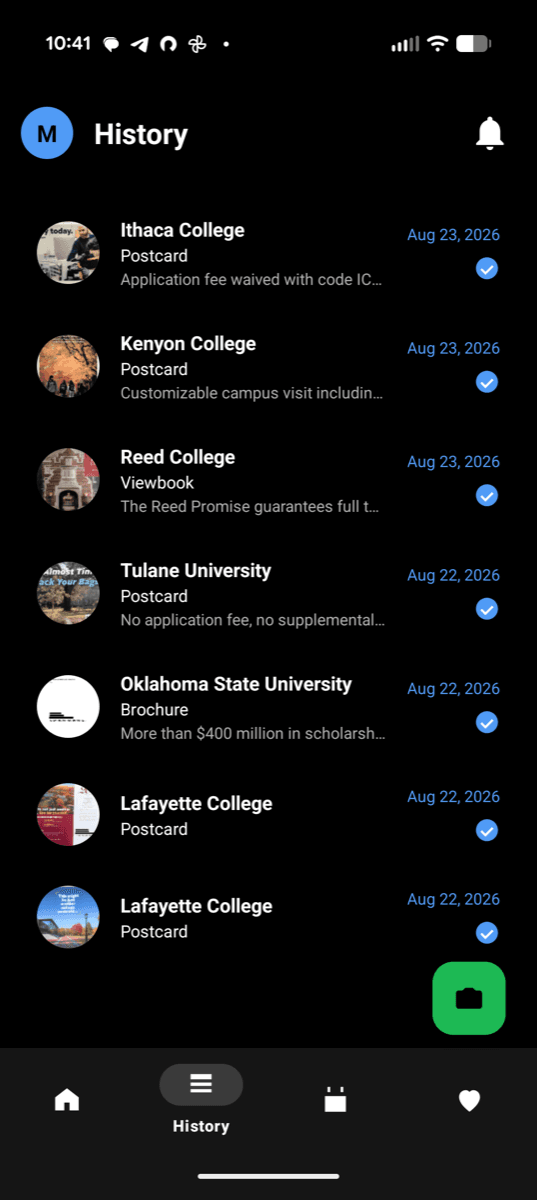
It's easy to get started
Scan it
Snap a photo of whatever showed up in the mailbox.
We label it
School, offer, and any dates get pulled out automatically.
It's organized
Dropped straight into your history and calendar, ready when you need it.
Make sense of all that mail
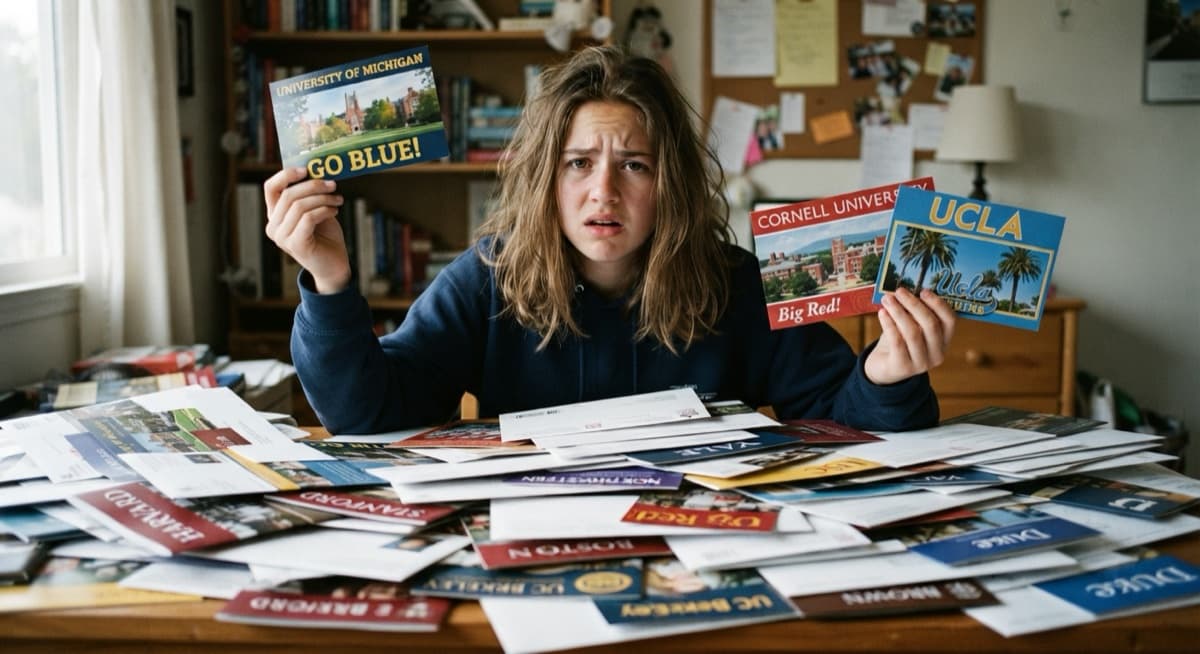
Keep your college recruitment mail organized in one place — scan it, see what actually matters, and never miss a deadline buried in a pile of postcards.
Always free. Built for high school juniors & seniors.
Snap it. We label it.
Every piece gets the school, the offer, and any dates pulled out automatically — no typing, no guessing what a postcard is actually trying to tell you.
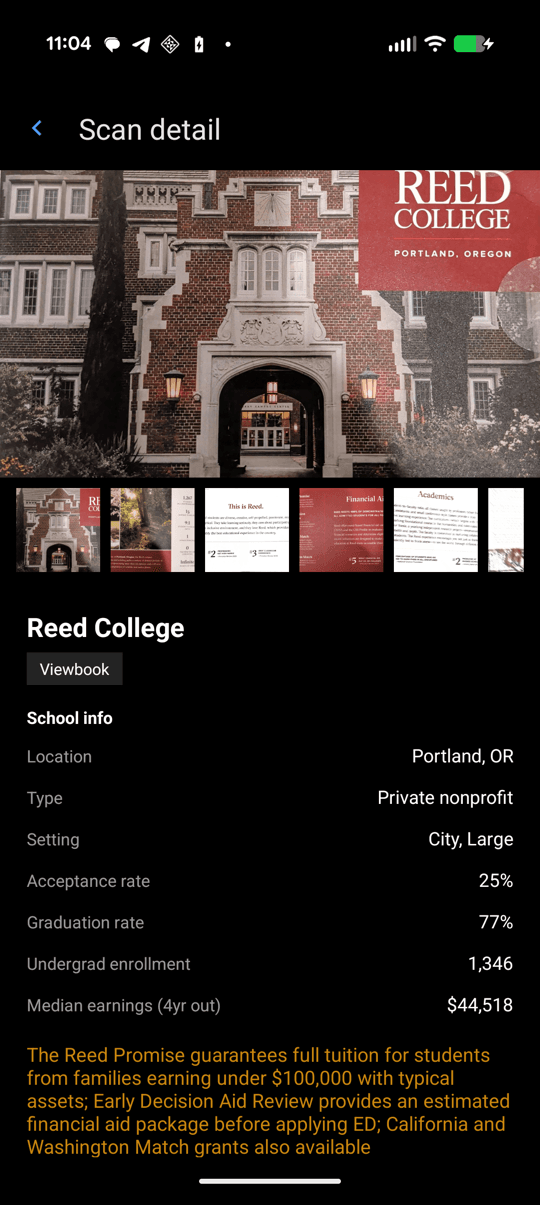
Every deadline, in one place
National dates like FAFSA opening and Early Decision deadlines, plus the personal dates buried in your own mail, side by side — colored differently so you always know which is which.
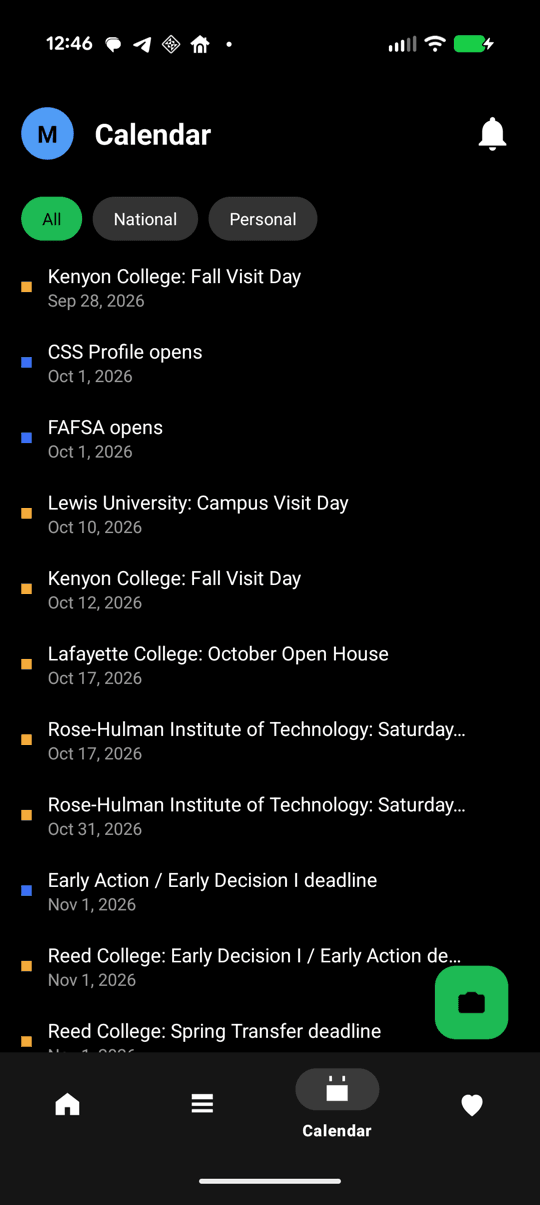
Swipe left, swipe right
Tap through the mail you've received and build a shortlist as you go — with real stats on size, tuition, and acceptance rate for every school.
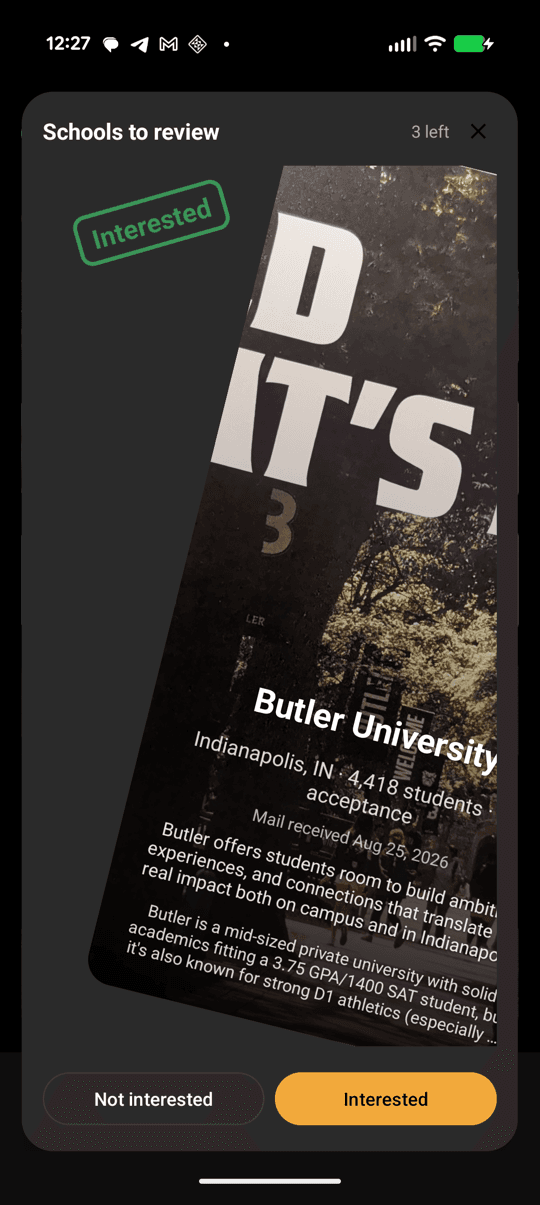
Organize your college mail


Questions?
We've got answers.
Is MyCollegeMail free?
Yes — MyCollegeMail is always free. No fees, no subscriptions, no prizes to win, just a place to keep track of your mail.
Is there a free app to organize college mail?
Yes — MyCollegeMail is a free web app, with an Android app now on Google Play, built specifically for this: scan a piece of mail and it automatically pulls out the school, the offer, and any dates, no manual typing.
Do I need my parent's OK to use it?
Yes. Before your first scan, you confirm your parent or guardian has given you permission to participate — that's part of setting up your account.
What happens to my name and address on a scan?
They're automatically blacked out on the photo before it's saved, so what you keep is the school and offer info without your personal mailing details exposed.
Is it safe to scan mail that has my address on it?
Yes — before a scan is saved, MyCollegeMail automatically identifies and blacks out your name and mailing address, both in the photo and the saved text. See our Privacy Policy for the full details.
What's the difference between the calendar colors?
Standard dates (like national admissions deadlines) show in one color, and the personal dates pulled from your own mail show in another — so you always know which is which at a glance.
How can I track college application deadlines in one place?
MyCollegeMail's Calendar brings together national dates (like FAFSA opening and Early Decision/Early Action deadlines) and the personal deadlines pulled from your own mail — color-coded so you always know which is which, instead of checking a dozen different postcards and websites.
When does FAFSA open?
FAFSA typically opens October 1 each year. MyCollegeMail's Calendar shows this alongside every admissions deadline mentioned in your own mail, so you're not tracking it separately from everything else.
Can I use this on my phone?
Yes — the web app works fine in your phone's browser today, and an Android app that reuses the same scanning is now available on Google Play. An iPhone app is on the way but not released yet.
What do I do with mail I don't want?
Swipe through it in your Shortlist — pass on schools you're not interested in, or mark ones you are, alongside real stats like size, tuition, and acceptance rate.
How do I keep track of all the college mail I'm getting?
Scan each piece as it arrives — MyCollegeMail reads it and pulls out the school, the offer, and any dates automatically, so you have one running history instead of a growing stack of postcards on your desk.
Should I save all the mail colleges send me?
You don't need to keep the physical piece. Scan it once and MyCollegeMail keeps what matters — school, offer, dates — so you can recycle the actual postcard without losing anything worth remembering later.
Why am I getting so much mail from colleges?
Colleges buy contact lists and recruit broadly, so a piece of mail doesn't necessarily mean a school has singled you out — it often just means you matched their search criteria. MyCollegeMail won't tell you which is which, but it does make it easy to scan everything and sort out what you're actually interested in later, on your own timeline.
How do colleges get my mailing address?
Most often from the PSAT, SAT, or ACT — checking a box (or not opting out) during registration adds you to a search-service list that colleges can purchase and mail. It's a normal, common part of college recruiting.
Still have questions? Email help@mycollegemail.com.
Stop losing track of your mail
Always free — no fees, no prizes, just an organized inbox for every college that's trying to reach you.
Create your free account